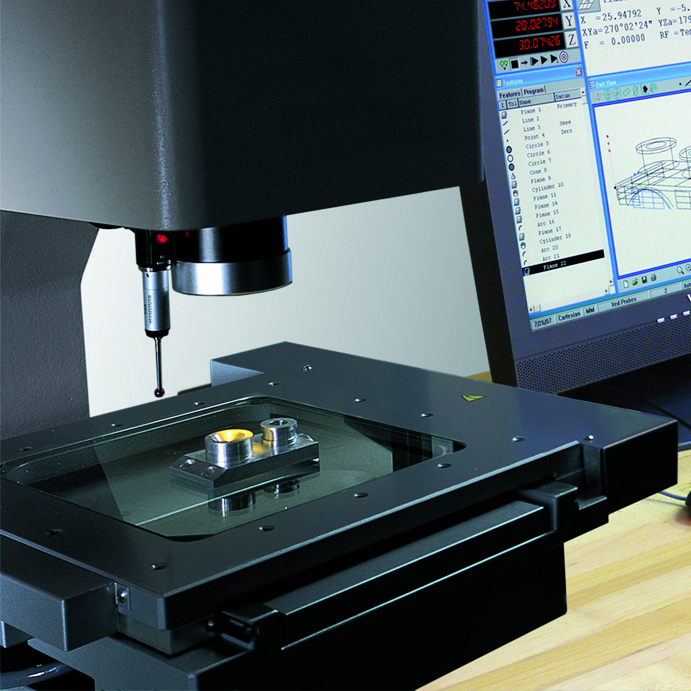
 HEIDENHAIN announced the latest version of their PC-based QUADRA-CHEK Metrology software for inspection measurement machines. This software makes it possible to conveniently perform 2-D and 3-D measuring tasks in the field of metrology when standard DRO products will not suffice. Labeled the IK5000 version 2.96, this inspection package builds upon the original Metronics QUADRA-CHECK QC5000 software by introducing 3D Profiling capabilities that can provide measurement and graphic evaluation of 3-D contours using multi-sensor and tactile measuring machines. This new option, used for profile measurements, is able to import a 3D CAD file (either STEP or IGES) and compare it with the actual measured part.
Part Programming improvements were added to support compensation for the thermal behavior of products that experience shrinkage or growth of material during the manufacturing process. This will allow users to write a single inspection program for measuring parts with materials having a known growth or shrink rate throughout the manufacturing process.
Improvements were also added to currently existing Radial and Palletize methods of automatic part programming routines. These methods help users when there are common features or parts that repeat angularly, around a datum, or based on a palletized grid layout. On Video-based Inspection machines, these improvements will retain specific video tool sizes and the positions needed for these measurements, and then repeat them based on the angle they are located around the datum or in reference to a linear layout. The new Palletize grid functions allow the user to graphically select which parts in the grid are required for measurement, and only run the program in those locations.
The IK5000 version 2.96.0 will now also offer compatibility for PCs using Windows 7 (32bit) operating systems as well as Windows XP and Vista.
HEIDENHAIN
www.heidenhain.us

Leave a Reply
You must be logged in to post a comment.